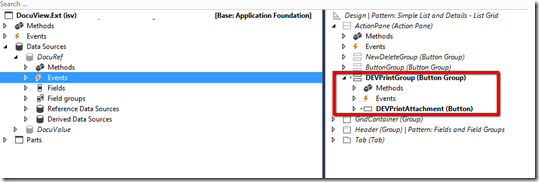
In this post I’ll detail how you can print PDF document attachments using AXs DocumentContract framework. I have used this forum post as a reference: https://community.dynamics.com/ax/f/33/p/222925/785091#785091 1. Create extension of the DocuView form to introduce a new Print button. 2. Next thing is to create a handler class that will have all our event handlers. a. Firstly, we create a class with the reference to DocumentContract AX framework. In my case, I am also using Reporting framework. b. Let’s subscribe to the OnActivated event of the main DataSource which is DocuRef. This is so we can enable or disable printing by checking if the reference is a document and is of type ‘pdf’ c. Then we can create subscribe to the OnClicked event of the new button Print button. We will write our printing logic here. d. Once you click print, you’ll get the following message and you have managed to successfully print an attachment:
This is a simple job I wrote in D365O that writes all customers where the DataAreaId is “USRT” to a CSV file and downloads it. When you run the job you will be prompted to save the file. Your saved file as CSV:
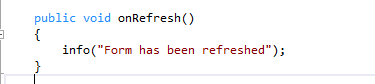
Essentially this post is going to discuss calling custom code while refreshing a form in D365O, however, you can find more information about other system defined buttons and how you can run extra code or suppress them in this article: System-Defined buttons Firstly the datahelper() method of the formRun framework class can be used to provide services that allow managing the datasources of the form. How can I add custom code to run when I click refresh? We are going to use eventing (pre-event handler and post-event handler) to do this: 1. Write your method that you want to call when the refresh button is clicked 2. In the Form.int subscribe using the datahelper().Refreshing event 3. On refresh click you'll see your message



Comments
Post a Comment